Skip to content

ng-bootstrap

Angular components on Bootstrap 5.3, with signals, OnPush and timezone-aware dates.

MITTypeScriptActiveVersion 5.1.1

What it's for

Bootstrap gives an interface its look and structure. In Angular, though, the menus, dialogs and form fields still have to be wired by hand, and it's the same work in every project. In ng-bootstrap we've turned them into typed Angular components: the markup stays Bootstrap 5.3, while signals, OnPush and the Angular CDK do the rest, with no jQuery. We use it in Chattoo and in our ng-app library, and we publish it on npm with documentation and live examples on GitHub Pages. This website is built with ng-bootstrap too.

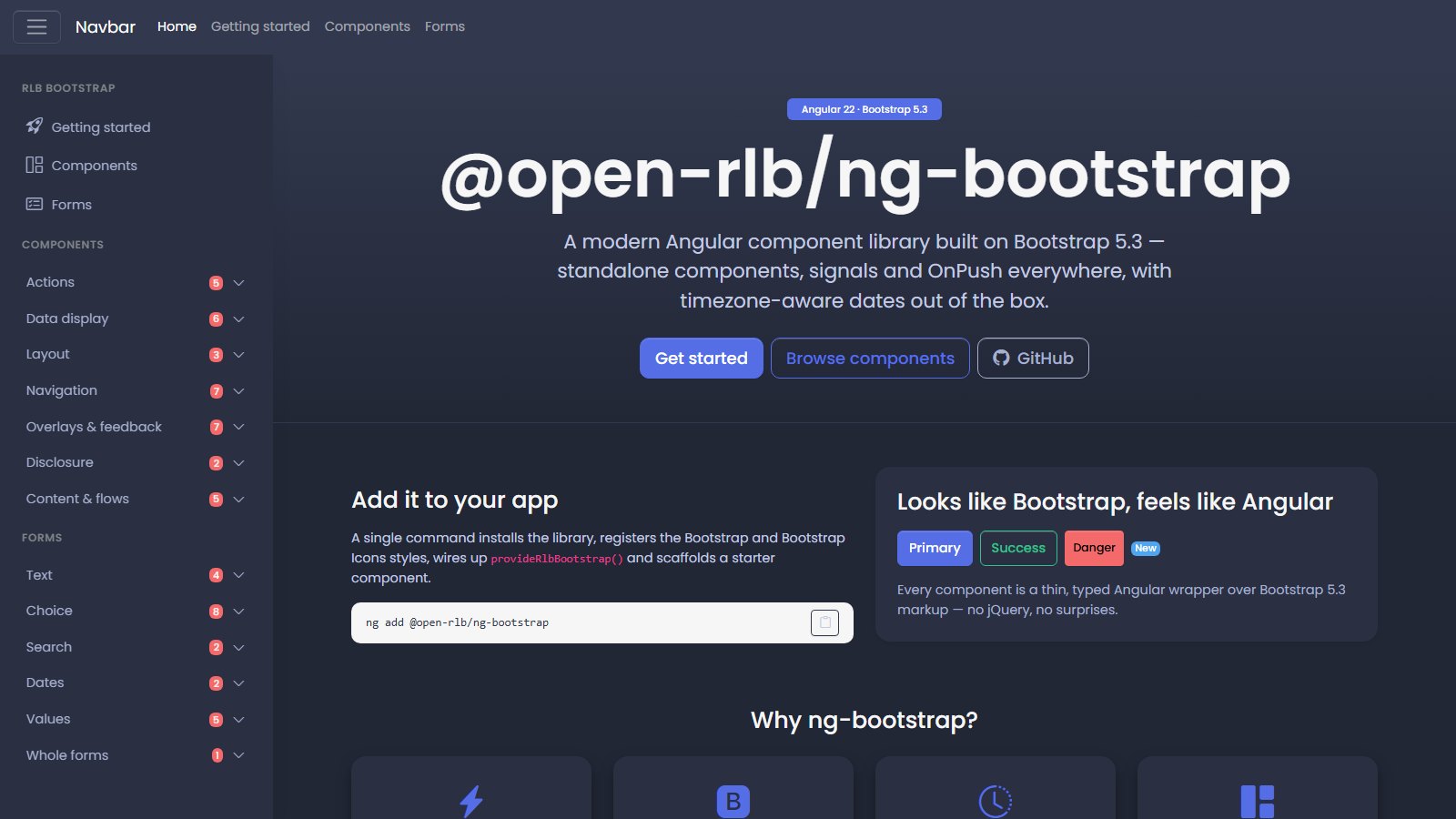
Home page of the ng-bootstrap documentation: the ng add command and, on the left, the components grouped by purpose.

Installation

ng add @open-rlb/ng-bootstrap

Example

<rlb-card>
  <rlb-card-header>Hello</rlb-card-header>
  <rlb-card-body>
    <button rlb-button color="primary">Click me</button>
  </rlb-card-body>
</rlb-card>

What it does

Components for the whole interface

Buttons, cards, menus, modals, toasts, tabs, sidebars, trees, timelines, a command palette and light and dark themes. Our documentation groups them by purpose, with live examples and the API.

Form fields

Every field works with ngModel and with reactive forms. There's text, choices, dates and times, amounts, ratings, OTP codes and drag-and-drop files, and with form fields a whole form is built from a description.

Angular 22, signals and OnPush

Standalone components, no zone.js. The Angular CDK positions every panel, so no container clips it, and menus, trees and the command palette work from the keyboard too.

Calendar and time zones

Month, week or day. Events are created, edited and moved by dragging them, and with @open-rlb/date-tz dates and times stay in the time zone you've picked.

Data table

Pagination, per-column sorting and filtering, multi-row selection, hideable columns, a sticky header and CSV export. The data doesn't live in the table: sorting and filtering go out as a request to whoever loads it.

Ready in one command

ng add installs the dependencies, registers the styles, wires the providers and creates a starter component. We also ship Claude Code skills in the package, matched to the same version.

Requirements

  • Angular 22 (from 22.0, not yet 23)
  • Angular CDK 22
  • Bootstrap 5.3 or later
  • @open-rlb/date-tz 3
  • RxJS 7.8
  • bootstrap-icons for the default icons (they can be swapped)
  • Optional: @ngx-translate/core and @types/bootstrap

The code, releases and issues are on GitHub.